
How to Tell If an Image Is AI-Generated: 9 Signs + Free Tools
By AI Detector 360 Editorial Team · · Updated July 9, 2026 · 8 min read
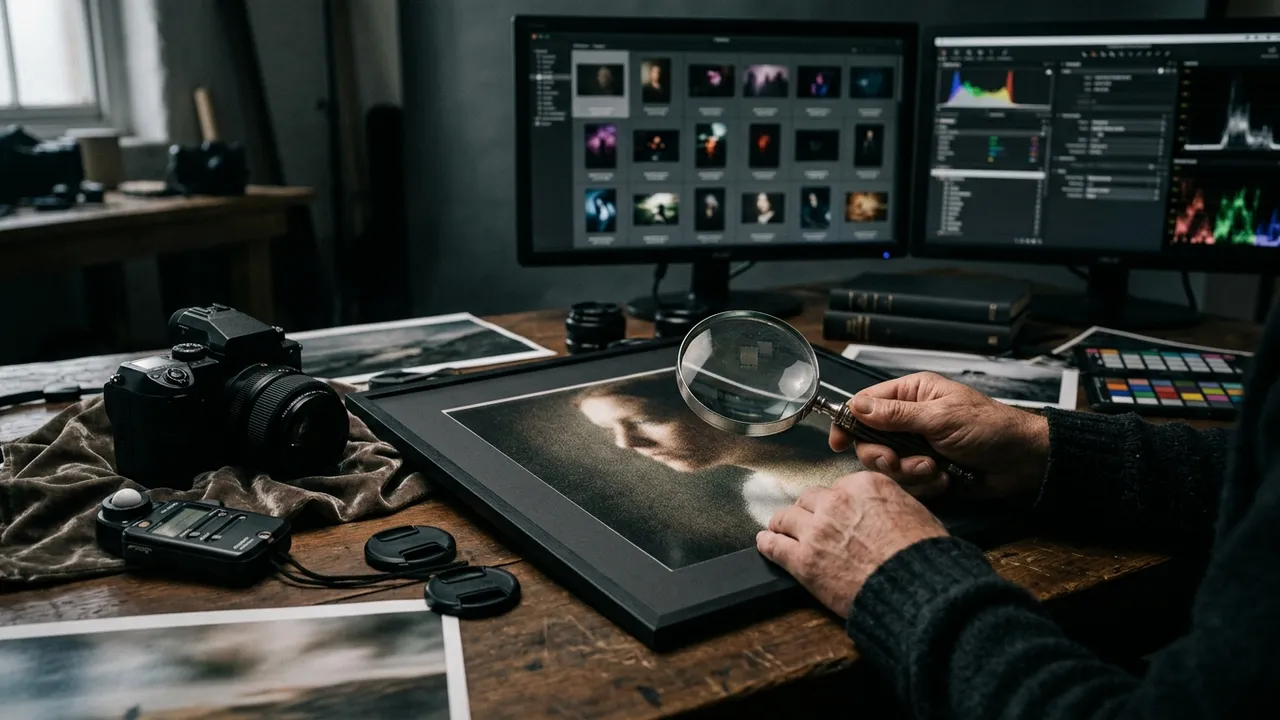
A photo lands in your feed and something feels off, but you can't say what. Two years ago you'd count fingers and move on. In 2026, the models render hands, teeth and even street signs well enough that the classic checklist mostly clears fakes.
To tell if an image is AI-generated, check three layers: physics (do lighting, shadows and reflections obey one light source?), texture (is fine detail suspiciously uniform?), and provenance (does the file carry C2PA metadata or match an earlier real photo?). Then confirm with a detector scan, because no single signal is proof on its own.
Key takeaways
- Hands, teeth and garbled text are no longer dependable giveaways — 2026 models usually get them right.
- Lighting physics, texture uniformity and background coherence remain the strongest visual tells.
- C2PA Content Credentials can positively confirm AI origin, but stripped metadata proves nothing.
- In the ARIA study, people spotted only about 62% of AI images by eye — always pair inspection with tools.
The old giveaways are disappearing
Every guide written between 2022 and 2024 taught the same tells: extra fingers, fused teeth, earrings that don't match, text that dissolves into alphabet soup. Those were real weaknesses of early diffusion models, and they're mostly gone. Midjourney, DALL-E, and Google's image models now handle hands and short text correctly far more often than not, and each release closes more gaps.
That didn't happen by accident. Hands and text were the most mocked failures of the early generators, so they're exactly what the labs fixed first — more targeted training data, dedicated text-rendering passes, aggressive tuning against the famous mistakes. The result is a strange inversion: the tells everyone memorized are the ones most reliably patched, while the failures nobody made memes about — shadow geometry, sensor-noise behavior, background logic — quietly persist. Guides that haven't updated since 2024 now actively mislead people into clearing fakes.
The research backs up how weak unaided eyes have become. In the ARIA study (Li et al., 2024), which built a benchmark of more than 140,000 real and AI images, participants correctly identified only 61.58% of AI-generated images — barely better than a coin flip — while clearing real photos 79.87% of the time. And those participants knew they were being tested. Casual scrolling is worse.
So the honest starting point is this: your eyes alone are no longer enough. But they're not useless either. The tells have moved from anatomy to physics, and physics is harder for generators to fake consistently.
How to tell if an image is AI-generated: the 9 signs
Diffusion models paint plausible pixels; they don't simulate a world. That difference leaks out in three places: light, surfaces, and scene logic.
Light and physics (signs 1–3)
1. Shadows that disagree. Pick two or three objects and trace their shadows back toward the light. In a real photo, every shadow points away from the same source(s). AI images regularly light the subject from the left while a lamppost throws its shadow toward the camera. Soft, directionless "studio glow" over an outdoor scene is the same failure in disguise.
2. Reflections that don't reconcile. Windows, mirrors, water, sunglasses, and eyes all have to re-render the scene from a different angle, and generators frequently fake it. Look for reflections showing objects that aren't there, skies that don't match, or two eyes reflecting different rooms.
3. Impossible focus. Real lenses produce one focal plane: things at the same distance share the same sharpness. AI images often keep a face and a distant building equally crisp, or blur one shoulder of a subject while the other stays sharp. If the depth of field has no consistent geometry, a camera probably wasn't involved. (Product photography is the honest exception — focus stacking keeps everything sharp on purpose — so weight this sign most heavily on candid, single-shot claims.)
Surface and texture (signs 4–6)
4. Uniform micro-detail. Skin is the classic case: real faces have pores, fine hairs, blotches and asymmetries that vary across regions. AI skin tends to be evenly, flatteringly detailed everywhere — a kind of airbrushed consistency. The same applies to wood grain, brick and grass.
5. Synthetic grain. Real sensor noise concentrates in shadows and smooths out in highlights. AI "grain" is typically identical across bright and dark regions, because it was hallucinated rather than captured. Zoom to 200% on a dark corner and a bright patch and compare.
6. Repetition where nature varies. Generators love patterns, so they repeat them: identical leaves, cloned windows on a building, the same face twice in a crowd, hair strands that loop back into themselves. Real scenes are messier.
Scene logic (signs 7–9)
7. Background melt. Attention concentrates on the subject, so coherence decays with distance from it. Chairs merge into tables, bicycles lose wheels, background pedestrians share limbs. Scan the edges of the frame, not the center.
8. Text that fails on the second look. Headline text is usually clean now, but secondary text — a shop sign down the street, a book spine, a jersey number — still tends toward almost-letters. Real-world typography is everywhere, and generators can't sustain all of it.
9. Suspicious perfection. Composition centered just so, color grading straight out of a cinema trailer, every surface clean, every face symmetrical. Individually meaningless, but a strong prior. Our breakdown of what gives Midjourney images away digs into this aesthetic signature in detail.
The compressed version, for when you're checking on the move:
| Layer | Signs 1–9 | Where to look first |
|---|---|---|
| Light and physics | Disagreeing shadows, unreconciled reflections, impossible focus | Two objects' shadows; eyes and windows |
| Surface and texture | Uniform micro-detail, synthetic grain, cloned repetition | Skin at 200% zoom; dark vs. bright grain |
| Scene logic | Background melt, failing secondary text, suspicious perfection | Frame edges; signage behind the subject |
Check the metadata before you trust your eyes
While you were squinting at shadows, the file itself may have been carrying an answer. C2PA Content Credentials are cryptographically signed provenance records embedded in the file — a tamper-evident label saying what made the image and what's been done to it since. OpenAI has embedded them in DALL-E images since February 2024, and Adobe Firefly, Microsoft's image tools and Google's latest image models do the same. Paste a file into the free Content Credentials verify tool and you'll see whatever manifest survives.
The catch is that word, survives. Major social platforms strip metadata on upload, screenshots carry none, and Midjourney never embeds credentials in the first place. That creates an asymmetry worth memorizing: a C2PA manifest naming a generator is close to proof; an empty result is no evidence at all. Our full guide to C2PA Content Credentials explains what these manifests contain and where they break.
Two more file-level notes to keep straight. Ordinary EXIF data — camera model, exposure settings, GPS — is weak evidence in both directions: it's trivially editable, so a fake can wear a Canon's fingerprint, and plenty of authentic photos shed it during processing. And Google plays a different game entirely: its Gemini-generated images carry SynthID, an invisible watermark woven into the pixels rather than attached as metadata. It survives handling far better than C2PA, but only Google's own tools can read it, so it won't help your independent check.
Pair the metadata check with a reverse image search — if the picture existed in 2019, no 2026 generator made it. The reverse-search verification workflow walks through that step by step.
Is that image AI-generated?
Upload a picture and get classifier scores, provenance (C2PA/EXIF) checks and likely-generator attribution.
Try the AI image detectorLet a detector see what you can't
Visual inspection and provenance still leave a gap: a Midjourney image, stripped of metadata, with no lighting mistakes. That's where statistical detection earns its place. AI image detectors analyze pixel-level patterns — noise distributions, frequency artifacts, upsampling fingerprints — that generation pipelines leave behind and human eyes can't register.
They work, with caveats you should know before trusting any score. In the ARIA benchmark, most open-source detectors landed below 70% accuracy on AI images, and even commercial tools fell apart on certain generation modes. Compression is the other enemy: when Bellingcat tested a leading detector in September 2023, it correctly flagged ten uncompressed Midjourney images, then missed seven of the ten after social-media-level compression. We've published an honest look at AI image detector accuracy if you want the full picture, including where our own tool struggles.
The AI Detector 360 image checker approaches this with layered evidence rather than a lone percentage: a probability score with an explicit confidence level, likely-generator attribution, and provenance signals (C2PA, EXIF, generation parameters) pulled from the file in the same scan. When the input is a heavily compressed repost, the report says the confidence is low instead of bluffing.
Two habits make any detector more useful. Feed it the best copy you can find — a first-generation file carries far more statistical signal than a thumbnail that's been reshared four times. And ask what a mistake would cost before acting: clearing a meme wrongly costs nothing, while flagging a photojournalist's work wrongly costs a great deal, so the same 80% score justifies different responses in different contexts.
Put it all together: a 60-second workflow
For everyday verification, speed matters more than perfection. Here's the compressed version of the nine signs plus tooling:
- 10 seconds — light and shadows. One light source? Reflections plausible?
- 10 seconds — texture and background. Uniform grain? Melting objects at the edges?
- 15 seconds — provenance. Content Credentials check, plus a reverse image search for the earliest copy.
- 15 seconds — detector scan. Upload to AI Detector 360's image detector and read score plus confidence.
- 10 seconds — decide. Two or more independent signals pointing the same way is a strong result. One ambiguous signal is a shrug — keep the skepticism.
Here's how that plays out on a real case. Say a "photo" of storm damage is circulating during a hurricane. The light looks plausible (10 seconds, no verdict). The debris field repeats the same crushed car three times (flag one). Reverse search finds no earlier copy, which fits both "just taken" and "just generated" (neutral). No Content Credentials (neutral — that's the internet's default). The detector returns 91% AI at high confidence (flag two). Two independent flags, zero counter-evidence: don't share it, and say why. Total time, about ninety seconds.
The same logic extends to moving images, where frame-level artifacts pile up fast; our AI video detector applies frame-by-frame analysis for exactly that reason, and the tells for video get their own treatment in our deepfake guides.
No method here is infallible, including ours — anyone promising certainty about AI images in 2026 is selling something. But stacked together, these checks catch the overwhelming majority of fakes in about a minute, which is more than most newsrooms managed in 2023.
Is that image AI-generated?
Upload a picture and get classifier scores, provenance (C2PA/EXIF) checks and likely-generator attribution.
Try the AI image detectorFrequently asked questions
Can you ever be 100% sure an image is AI-generated?
Only in one case — when the file carries intact, cryptographically signed provenance metadata (C2PA Content Credentials) naming a generator like DALL-E or Firefly. Everything else, including detector scores and visual inspection, is probabilistic evidence. Strong evidence stacks up fast when you combine methods, but treat any single signal as a clue, not a verdict.
Do AI-generated images have metadata that identifies them?
Sometimes. OpenAI, Adobe Firefly, Microsoft's image tools and Google's image models embed C2PA Content Credentials, and Google additionally watermarks its images invisibly with SynthID. But Midjourney and most open-source tools embed nothing, and social platforms routinely strip metadata on upload. So metadata can confirm AI origin, but its absence proves nothing.
Are hands still a reliable sign of AI images?
No. Six-fingered hands, mangled teeth and garbled text were dependable giveaways through 2023, but current models render them correctly most of the time. If you're still relying on counting fingers, you'll clear the majority of 2026-era AI images as real. Lighting physics, texture uniformity and background logic hold up much better.
What free tools can check if an image is AI?
Three free options cover the main methods — Google Lens or TinEye for reverse image search, the Content Credentials verify tool for C2PA metadata, and AI Detector 360's free scanner for pixel-level analysis. Each covers a different blind spot, so a quick pass through all three beats any one of them alone.
Sources & further reading
Fair-use note: AI detection scores — from any tool, including ours — are probabilistic estimates, not proof. Never make academic, employment or legal decisions on a score alone.
Related reading
How to Spot a Deepfake Video in 2026: A Practical Checklist
99.9% of people failed a deepfake spotting test. How to spot a deepfake video in 2026: face boundary glitches, lip-sync drift, lighting mismatch, audio tells.
Jul 6, 2026 · 7 min read
Can AI Detectors Be Wrong? Yes — Here's How Often
Can AI detectors be wrong? Yes: documented failures, real error rates from independent studies, and a checklist for when to trust or challenge a score.
Jul 15, 2026 · 6 min read
Falsely Accused of Using AI? A Step-by-Step Defense Guide for Students
Falsely accused of using AI? A step-by-step defense guide: version history, drafts, writing samples, the research on detector errors, and how to escalate.
Jul 13, 2026 · 6 min read